From Storyboard to Finished Cut: My Seedance 2.5 Workflow for Client Videos
Why Storyboards Are the Perfect Input
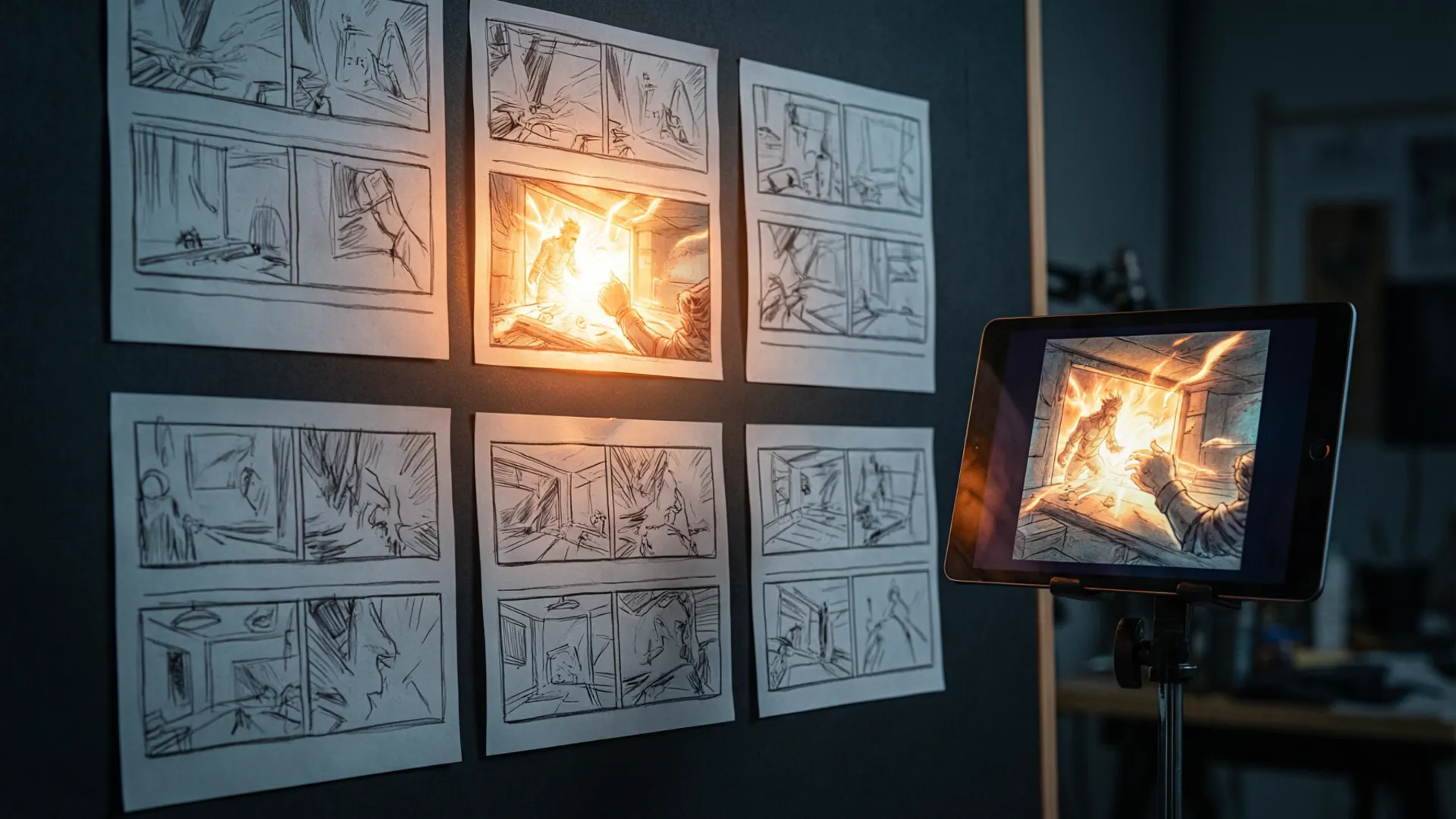
I've been making social and commercial video for eight years, and the storyboard is where clients actually decide things — not in the treatment, not in the moodboard. The board is where the money resets expectations. So when Seedance 2.5's reference-to-video mode got good enough this summer, the obvious move wasn't "generate videos from scratch." It was: treat the approved board as the contract, and let the model fill in the motion.
Last month I ran that experiment on three real client jobs — a 30-second spot for a pet food brand, a 20-second product teaser for a coffee gadget, and a 45-second recruitment piece for a robotics company. Board to delivered cut: two days each, solo. Here's the full workflow, including the parts where it gets weird.

Panels to References
The board arrives as JPEGs of hand drawings or pixels from Figma. First step: each panel becomes a production reference image. For hand-drawn panels I regenerate a "machine-clean" version with Seedance's image tools — same composition, but real lighting and materials, because the video model follows the reference's lighting more faithfully than any prompt. I keep the drawing next to the generated frame and check three things: subject position, camera height, and what's in frame edges. If those match, the panel is production-ready. Blowing these checks costs more downstream than fixing them ever will.
Panel 3 of the pet food board, for instance, was a low dog's-eye shot of a kibble bowl against a kitchen floor. My cleaned reference rendered it with a much higher camera than the sketch. Catching that took five minutes; discovering it after generating the shot would have cost a full re-prompt plus continuity headaches with the plate reflections from panel 2.
The Per-Shot Prompt Structure
Every shot prompt follows the same five-line skeleton. This is the single highest-leverage thing in the whole workflow:
[STYLE PREFIX — identical in every shot]
Camera: [lens, height, movement — one idea only]
Subject action: [what changes START to END]
Light: [direction, quality, continuity with boards]
Time & motion: [slow-motion factor, motion blur notes]
Two rules I enforce. First, one camera move per shot — the model can do a push OR a pan, and asking for both gives you neither. Second, describe change, not scene: "hand enters frame and lifts the cup toward camera" beats "a cup on a table." The reference image already owns the scene. Your prompt owns the time axis. Most people writing bad Seedance prompts are describing what the picture is instead of what happens next, and the model dutifully generates a still-ish video of a beautiful scene where nothing story-relevant occurs.

Keeping Six Shots in One World
Character and object consistency across cuts is where 2.5 either earns its keep or doesn't. My setup: every shot's prompt opens with the identical style prefix (film stock, palette, contrast, grain), and every shot where the character or hero product appears gets the same dedicated reference sheet re-attached — I keep one file with the dog, one with the coffee gadget, and I do not improvise alternates. Panel-specific references handle composition; the character sheet handles identity. When a shot contains a mirror, a screen, or a window reflection, I add one sentence: "reflection matches subject exactly." Without it, reflections are where the model's attention slips first — my one genuinely broken shot in three jobs was a kettle reflected in a steel backsplash that grew an extra spout.
Timing, Transitions, and the Cut
Seedance gives you clean 5- and 10-second blocks; the felt "direction" comes from what you do in the edit. I generate each shot slightly longer than the board says — 10 seconds for a 6-second beat — and pick the internal window with the right energy. Slow-motion factors live in the prompt (0.5x for the treat-drop, native for the walk). Transitions: I hard-cut 90% of the time and generate one or two dedicated transition shots when a client wants a match-cut or whip-pan look. What I stopped doing: asking the model to "transition from scene A to scene B" inside one generation. It does it, and it looks like a dissolve done by an intern.

Surviving Client Revisions
The workflow's real payoff shows up on revision two, because boards make revisions surgical. "Make the logo shot longer and the dog's head turn toward the bowl" is a prompt edit plus a re-render, not a reshoot. My revision cost across three jobs: under two hours total. The pet food client also asked for a vertical 9:16 version of the whole spot — same prompts, recomposed references, done in 90 minutes while we were on a call.
One honest limitation: hands, crowds, and text on screen are still the danger zones. I storyboard around them now, the same way I used to light around them. Total tooling cost for the two-day pipeline — generations, references, and re-generations across all three jobs — stayed under $120. Compare that to one shoot day and you understand why I rebuilt my workflow around this. If you're new to the reference mode itself, start with my reference-to-video guide, and for keeping characters stable in longer pieces, the character consistency deep-dive goes further.
Frequently Asked Questions
Can Seedance 2.5 animate a storyboard directly?
Yes — feed each panel as a reference image with the reference-to-video mode and describe the motion rather than the scene. I get usable first takes on about 70% of panels; the rest need 2-3 regenerations, usually when the panel has complex hand or crowd detail.
How do you keep characters consistent across shots in Seedance 2.5?
Three anchors: one character reference sheet image reused in every shot, an identical style prefix at the start of every prompt, and consistent naming (same character description words, same order). With that setup my six-shot sequences held identity through cuts; without it, drift shows by shot three.
How long does a 30-second video take with Seedance 2.5?
Realistically 4-6 hours for a client-grade 30-second piece with six shots: one hour for references and prompts, two to three hours of generation and selection, and the rest for editorial and revisions. Generation itself is minutes per shot — selection eats the time.
Is Seedance 2.5 good enough for paid client work?
For social and product content, absolutely — my last three client pieces delivered on deadline and only one needed a reshoot-level fix. For anything with legal risk (claims, pricing text on screen) or celebrity faces, shoot or license it. The 10-20% failure rate is fine when a retake costs two minutes, not fine when it costs a shoot day.
Our Top Pick
Seedance 2.5
9.2/10ByteDance's flagship video generation model — 30-second native video, 50 multimodal references, and up to 4K output. The best overall quality we've tested.
- 30-second continuous video
- 4K resolution output
- 50 multimodal references
- Audio-visual sync
- Character consistency
- Motion brush control
Get Weekly AI Video Tips
Join 500+ creators getting the latest AI video tool reviews, tutorials, and exclusive tips every Friday.
No spam. Unsubscribe anytime. We respect your privacy.